Skip to content
SCOCBM

Performance apps · iDrive 7 & 8

Your engine’s vital signs, live on iDrive.

Boost, oil temperature, g-forces, timed runs and fault codes, right on the center display. The apps read the car’s own sensors and run inside iDrive, so there is nothing to mount, plug in or charge.

Apps
8 available
Data source
The car’s own sensors
Hardware
None added
License
Open source (MIT)

Every capture below was recorded from the real app running its built-in demo drive. In your car, the same screens show live values. The apps come from the open-source idrive7-apps project and are installed through MGU Store.

M Vitals

Real app, demo data.

Live engine and chassis data from the car’s own sensors.

  • Engine speed, boost pressure and gear
  • Oil, coolant and intake air temperatures
  • Estimated power and torque, live

Drag Timer

Real app, demo data.

Time acceleration runs and the quarter mile, with history.

  • 0–100 km/h (0–62 mph) and 100–200 km/h runs
  • Quarter-mile time with live speed and splits
  • Saved run history

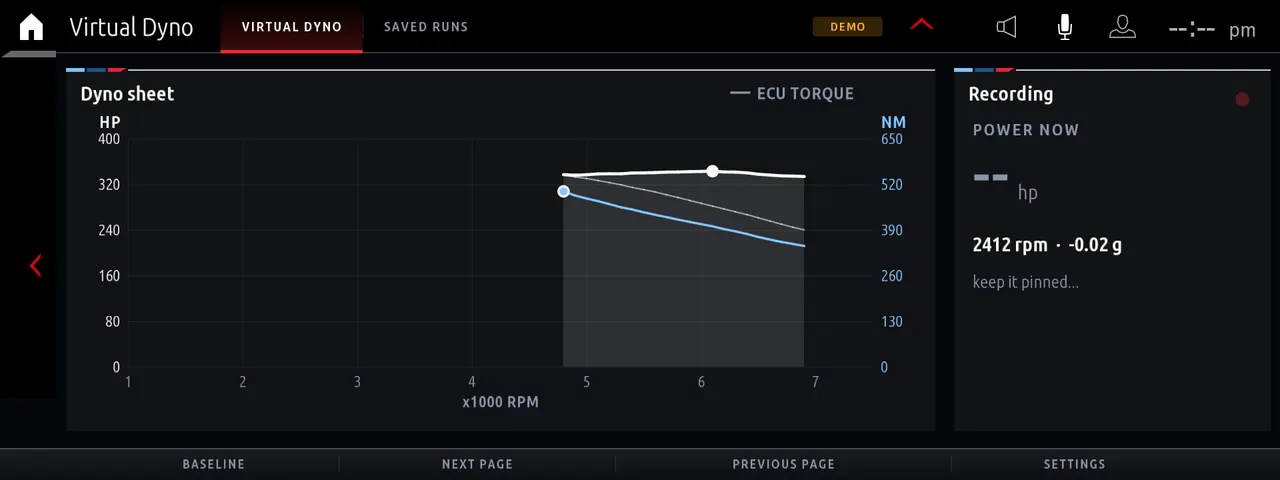
Virtual Dyno

Virtual Dyno app showing a power and torque curve
Real app, demo data.

An estimated power and torque curve from a single pull.

  • Power and torque plotted across the rev range
  • Compare runs from your history
  • Software estimate: it does not replace a chassis dyno

G-Force

Real app, demo data.

The friction circle with a trail and peak values.

  • Lateral and longitudinal g in real time
  • Peak values held on screen

Brake Test

Real app, demo data.

Braking distance and deceleration from 100 km/h (62 mph) to a stop.

  • Stopping distance and peak deceleration
  • Use on a closed course, never on public roads

Redline & Shift Lights

Real app, demo data.

A motorsport-style rev bar, shift lights and a large gear readout.

  • Sequential shift lights synced to RPM
  • Shift point you set for your engine
  • Oil temperature alongside

Fault Scanner
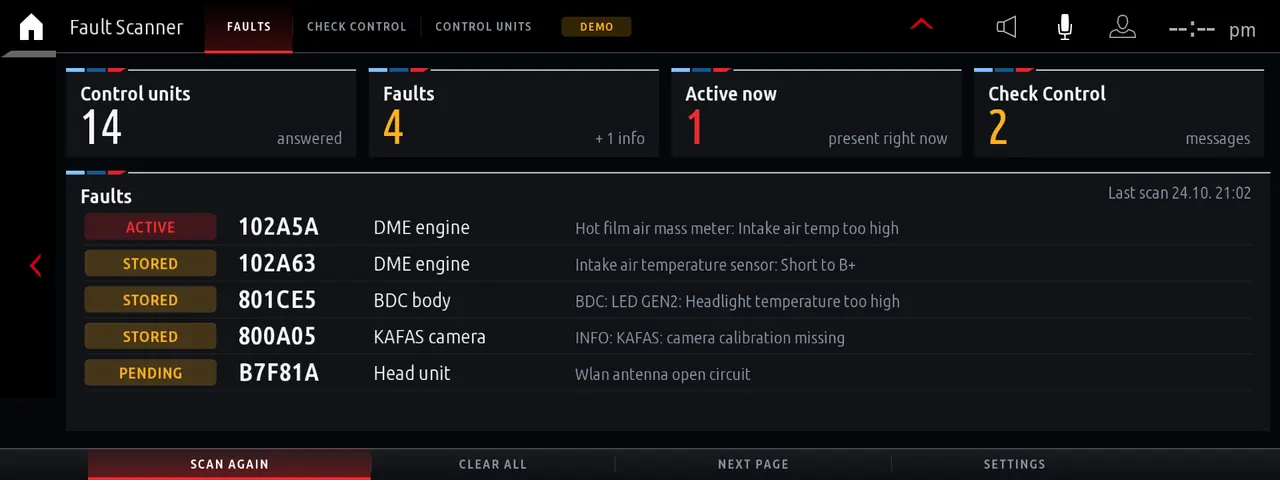
Fault Scanner app listing fault codes from the car modules
Real app, demo data.

Read stored fault codes from the car’s modules on the iDrive screen.

  • Active and stored diagnostic trouble codes (DTCs)
  • A short description of each code
  • Clearing codes where the software version allows it

eDrive
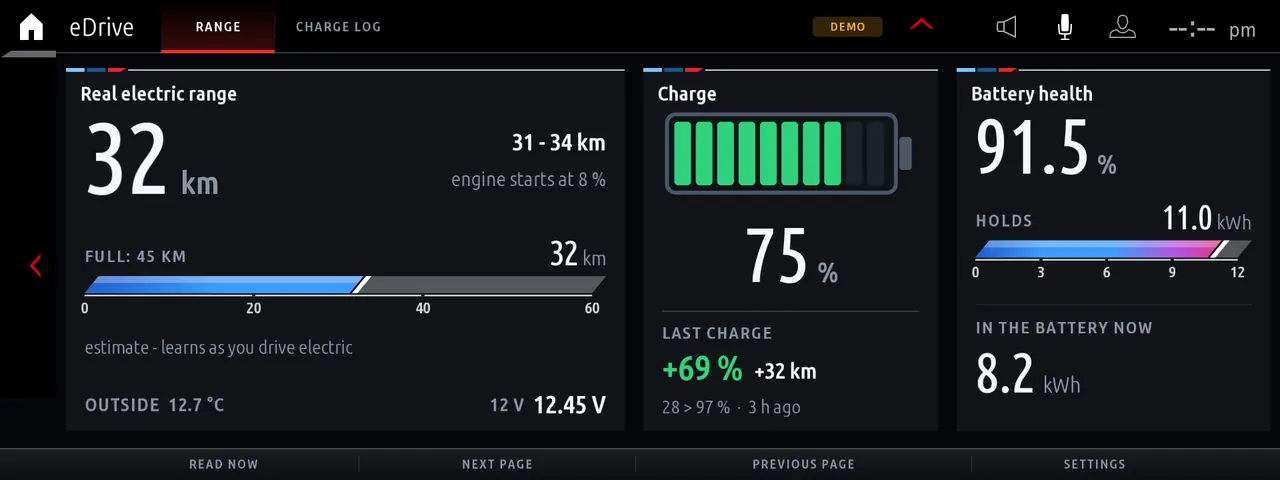
eDrive app showing electric range and high-voltage battery health
Real app, demo data.

For plug-in hybrids: real electric range and battery health.

  • State of charge and electric range
  • High-voltage battery health as reported by the car
  • Cell temperatures and live electric power

Note: Plug-in hybrids only, such as the 330e, 530e and X5 xDrive45e.

Common questions

Do the apps need a phone or an OBD dongle?

No. They run inside iDrive and read the car’s own sensors. Nothing is plugged in after the install.

Are Virtual Dyno numbers accurate?

They are software estimates. They are great for comparing your own runs, but they do not replace a chassis dyno.

Can the apps show mph?

The captures on this page come from European demo data in km/h. Ask us about unit settings for your car during the compatibility check.

Is it legal to use Drag Timer and Brake Test?

Use timing and braking apps only on closed courses, at track days or other legal venues, never on public roads. Always follow local laws.

Do I need internet in the car?

The telemetry apps work offline. Updates come through MGU Store over a connection or from a USB drive.

Find out what your BMW can do.

Send us your model, year and VIN. We check the head unit, the cluster and the software, then reply with what works on your car and a written quote. Free, with no obligation.

WhatsApp Free compatibility check