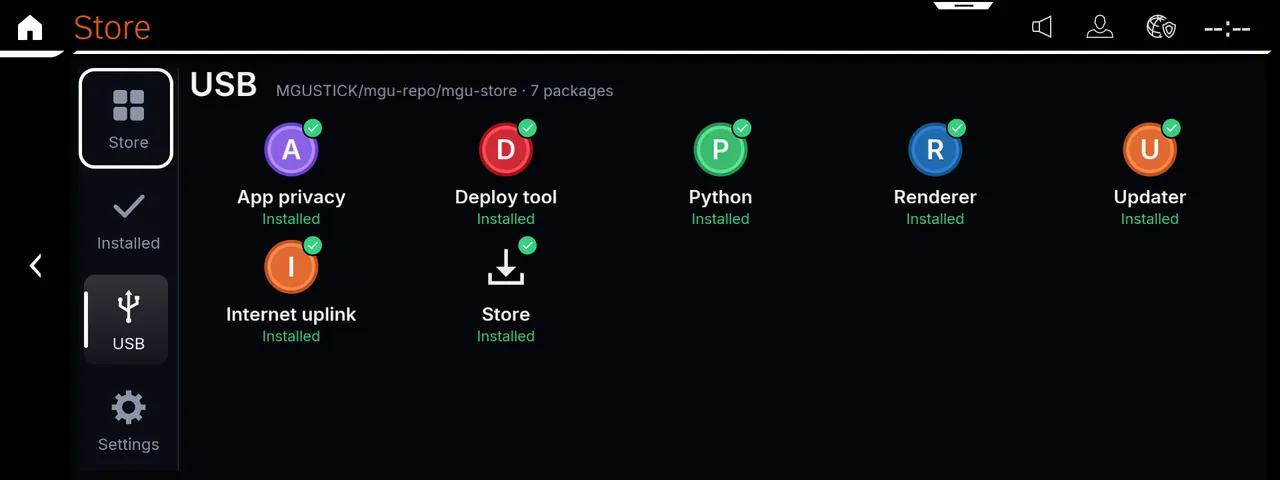
What MGU Store is
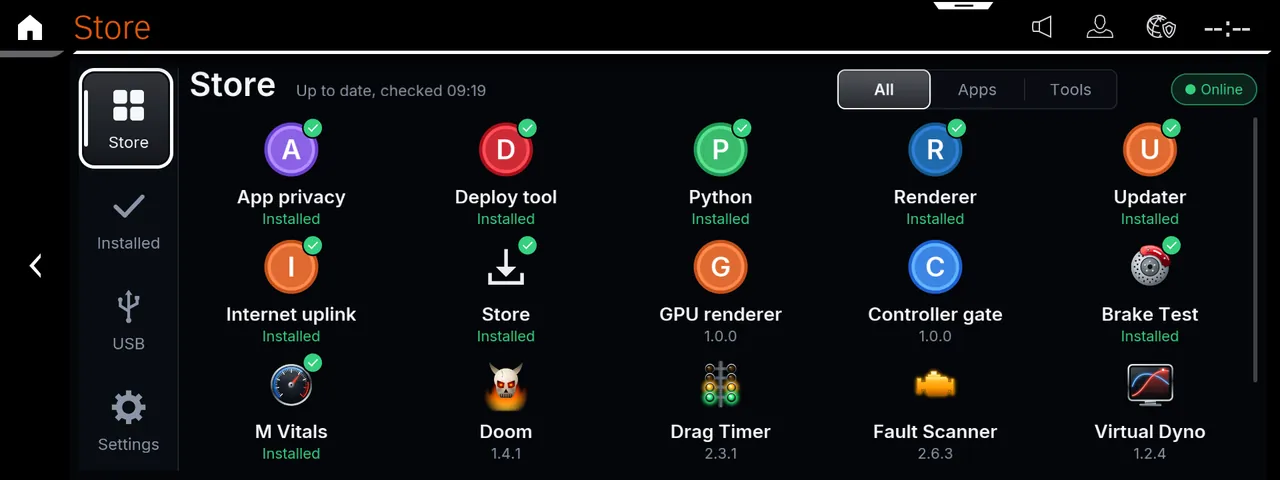
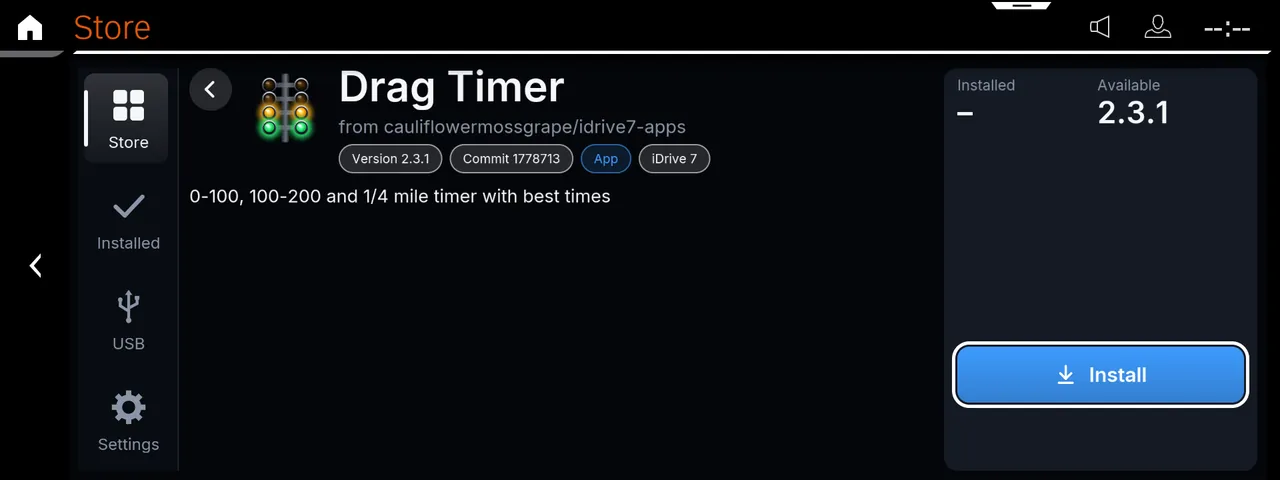
MGU Store is an app store that runs on the BMW head unit (the MGU behind iDrive 7 and iDrive 8). Once it is installed, you get a catalog of apps and tools on the center display. Each app has its own page with a description, a version number and an Install button.
Coding apps on your phone can only switch on options your car already has. MGU Store is different: it adds new software to the head unit. That is what makes things like live engine telemetry, timed acceleration runs and new cluster designs possible.
What you can install
The catalog grows as the community publishes new apps. These are the ones we set up most often:
- M Vitals: Live engine and chassis data from the car’s own sensors.
- Drag Timer: Time acceleration runs and the quarter mile, with history.
- Virtual Dyno: An estimated power and torque curve from a single pull.
- G-Force: The friction circle with a trail and peak values.
- Brake Test: Braking distance and deceleration from 100 km/h (62 mph) to a stop.
- Redline & Shift Lights: A motorsport-style rev bar, shift lights and a large gear readout.
- Fault Scanner: Read stored fault codes from the car’s modules on the iDrive screen.
- eDrive: For plug-in hybrids: real electric range and battery health.
See screenshots and details for each one on the performance apps page.
How installs and updates work
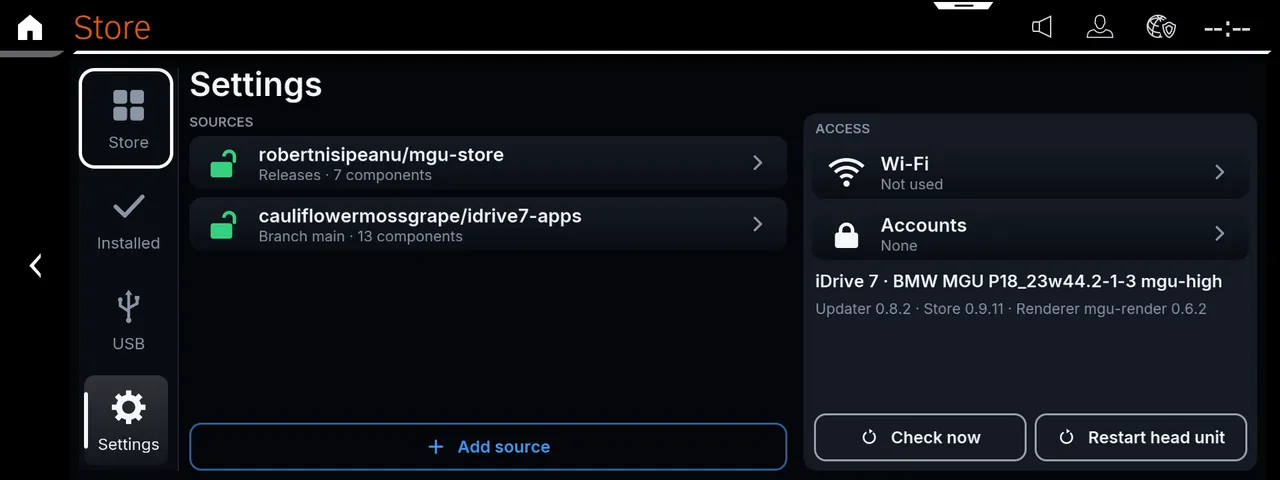
- We install MGU Store on your head unit during a remote session and configure the app sources that suit your unit.
- You open the store from the app menu and browse the catalog: apps on one tab, tools on another, with what you already have checked off.
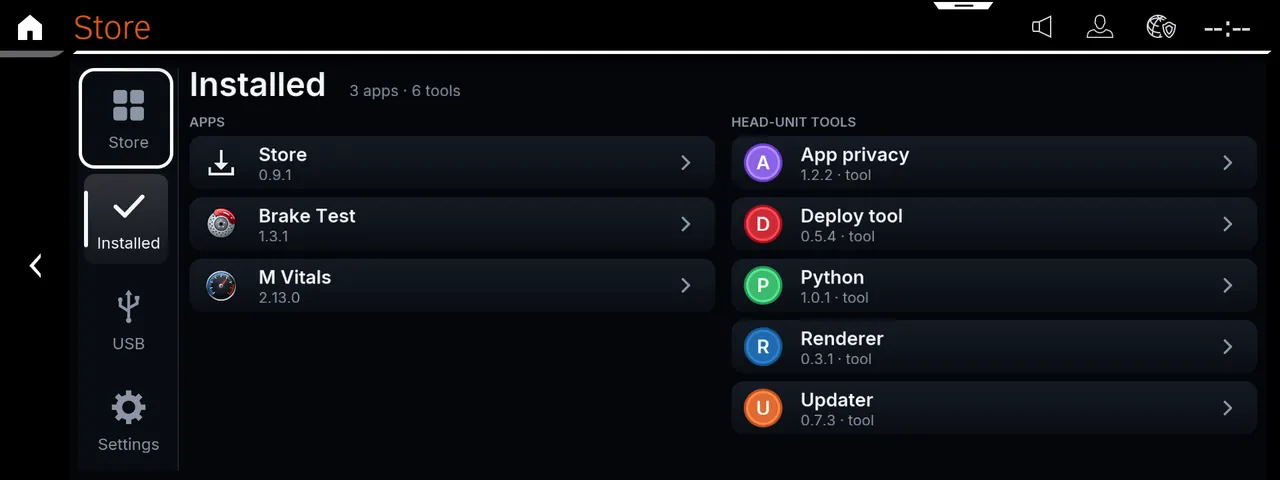
- When an app is updated, you update it from the car. The Installed tab shows every app and its version.
- No connection in the car? Apps can also be installed from a USB drive.
- Advanced users can add their own repository with “Add source”.
What stays the same
BMW navigation, Apple CarPlay, Android Auto, the cameras, parking sensors and every original menu keep working. The store and its apps are added on top. If you change your mind about an app, you remove it from the Installed tab.
Open source, plainly
MGU Store is an open-source project licensed under GPL-3.0, created by an independent developer. The performance apps come from the open-source idrive7-apps project (MIT license). Neither is a BMW product, and neither was written by us. What you pay us for is the expertise: checking your car, installing and configuring everything correctly, and testing it with you. License texts are linked on our About page.